
Alight Motion Old Version: Download APK Versions
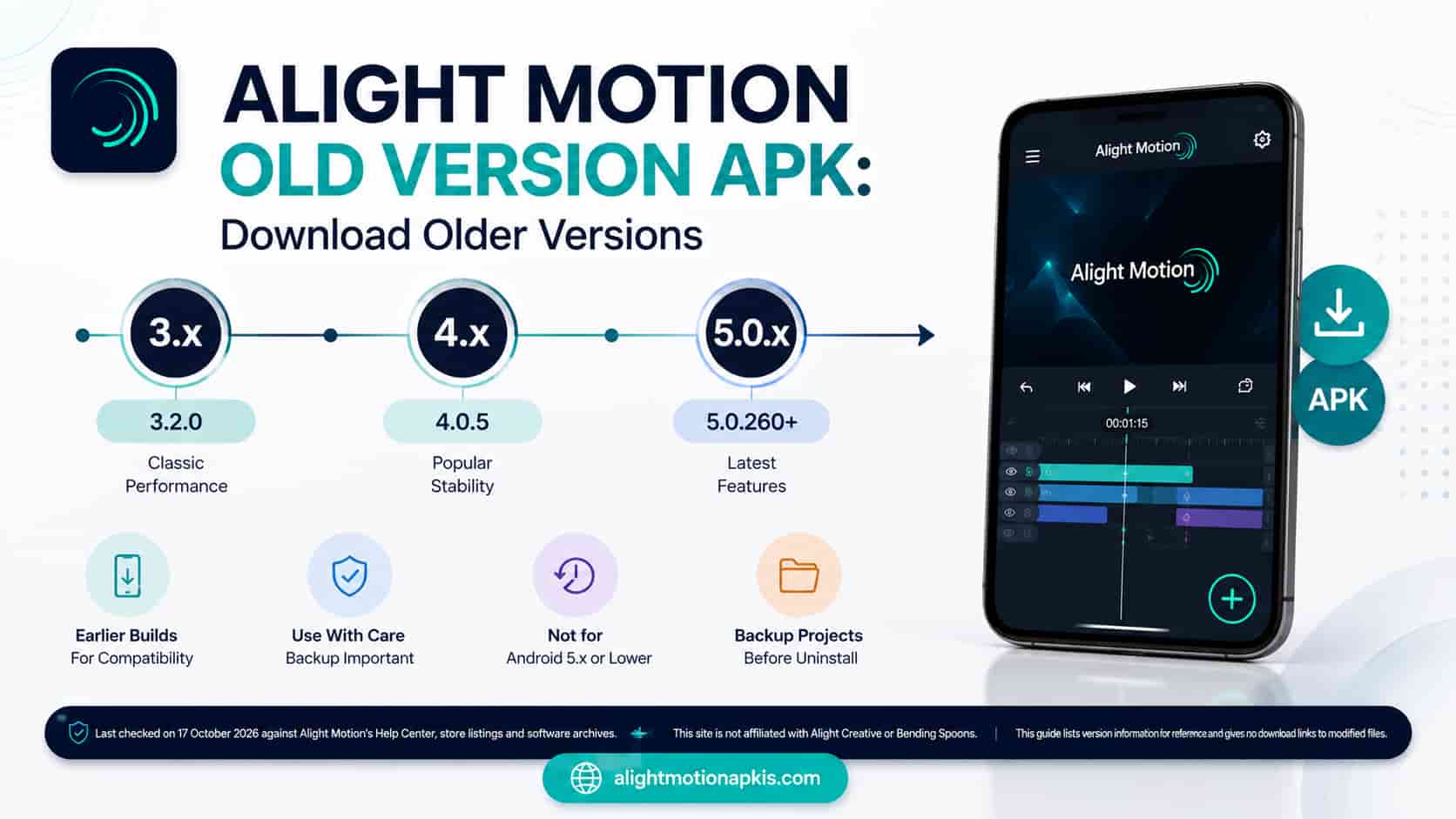
An Alight Motion old version is an earlier build of the Android app, such as v3.9.0 or v4.0.5. Google Play only offers the current build, so an older version download means installing an APK from an archive. It will not run on Android 5.x or lower, and uninstalling first deletes your projects unless you back them up.
Last checked on 17 October 2026 against Alight Motion’s Help Center, store listings and software archives. This site is not affiliated with Alight Creative or Bending Spoons. This guide lists version information for reference and gives no download links to modified files.
- Android 6.0 or higher
- 1.5 GB RAM minimum
- Back up first
Why people look for an Alight Motion old version
People usually want an older build for one of three reasons: an update introduced a bug on their phone, the new build feels slower, or they prefer an earlier layout. Each reason is reasonable, but going back does not guarantee a fix. Alight Motion’s Help Center says it supports only versions installed from Google Play or the App Store, and the Google Play text says the app needs at least 1.5 GB of RAM.
Before you downgrade, know what it costs. Alight Motion stores projects only on your device, so removing the app deletes them unless you back them up first.
Alight Motion previous versions: what exists
Several software archives list Alight Motion previous versions. The table shows what we could confirm. Dates are the dates each archive shows and can differ by a few days or more between sites. Android build numbers (5.0.x) are different from the iOS numbers (6.2.x), so do not compare them across platforms.
| Series | Example builds | Dates shown | Minimum Android | Listed on |
|---|---|---|---|---|
| 5.0.273 | 5.0.273.1028427 (latest on APKMirror, 17 Sep 2026) and earlier 5.0.273.x builds | 17 Dec 2025 to 17 Sep 2026 | 6.0 or higher (Help Center, current rule) | APKPure, FileHippo, APKMirror |
| 5.0.272 | 5.0.272, 5.0.272.1028368 up to 5.0.272.1028407 | 15 Feb to 1 Nov 2025 | 6.0 or higher (current rule) | APKPure, FileHippo, APKMirror |
| 5.0.249 to 5.0.271 | 5.0.249.1002172 up to 5.0.271.1002592 | 1 Feb to 28 Nov 2024 | 6.0 or higher (current rule; not checked per build) | APKMirror |
| 4.5 | 4.5.0.9491, 4.5.145.18805 | 3 Mar 2023, 2 May 2023 | Not checked | FileHippo |
| 4.4 | 4.4.0.3918 up to 4.4.8.7742 | Up to 16 Feb 2023 | 6.0 (API 23) | Softpedia |
| 4.2 and 4.3 | 4.2.0, 4.2.2, 4.2.3, 4.3.0.1655 | 19 Aug to 9 Sep 2022 (4.2.x) | 6.0 (API 23) | Softpedia |
| 4.0 | 4.0.5 | 18 Mar 2022 | 6.0 (API 23) | Softpedia |
| 3.x | 3.2.1, 3.3.5, 3.5.0, 3.6.2, 3.8.0, 3.9.0 | 18 May 2020 to 12 Jul 2021 | 6.0 (API 23) for 3.3.5 and 3.9.0 | Softpedia |
| 2.8 | 2.8.0 | 22 Jan 2020 | Not checked | Softpedia (oldest listed) |
Alight Motion v4 APK (4.0 to 4.5)
In the archives we checked, the 4.x line runs from 4.0.5 in March 2022 to 4.5.145 in May 2023. The Softpedia entries for 4.0.5, 4.2.x, 4.3.0, and 4.4.x list Android 6.0 as the minimum. If you search for an Alight Motion v4 APK because your phone cannot run the current build, Android 6.0 is still the floor.
Alight Motion v3 APK (3.2 to 3.9)
The 3.x line runs from May 2020 (3.2.1) to July 2021 (3.9.0). The 3.2.1 entry mentions a crash fix for sharing project links on Android 6.0. In our checks of 3.3.5 and 3.9.0, the listed minimum is Android 6.0. An Alight Motion v3 APK will not extend support to Android 5.x.
Alight Motion older version download: what to check first
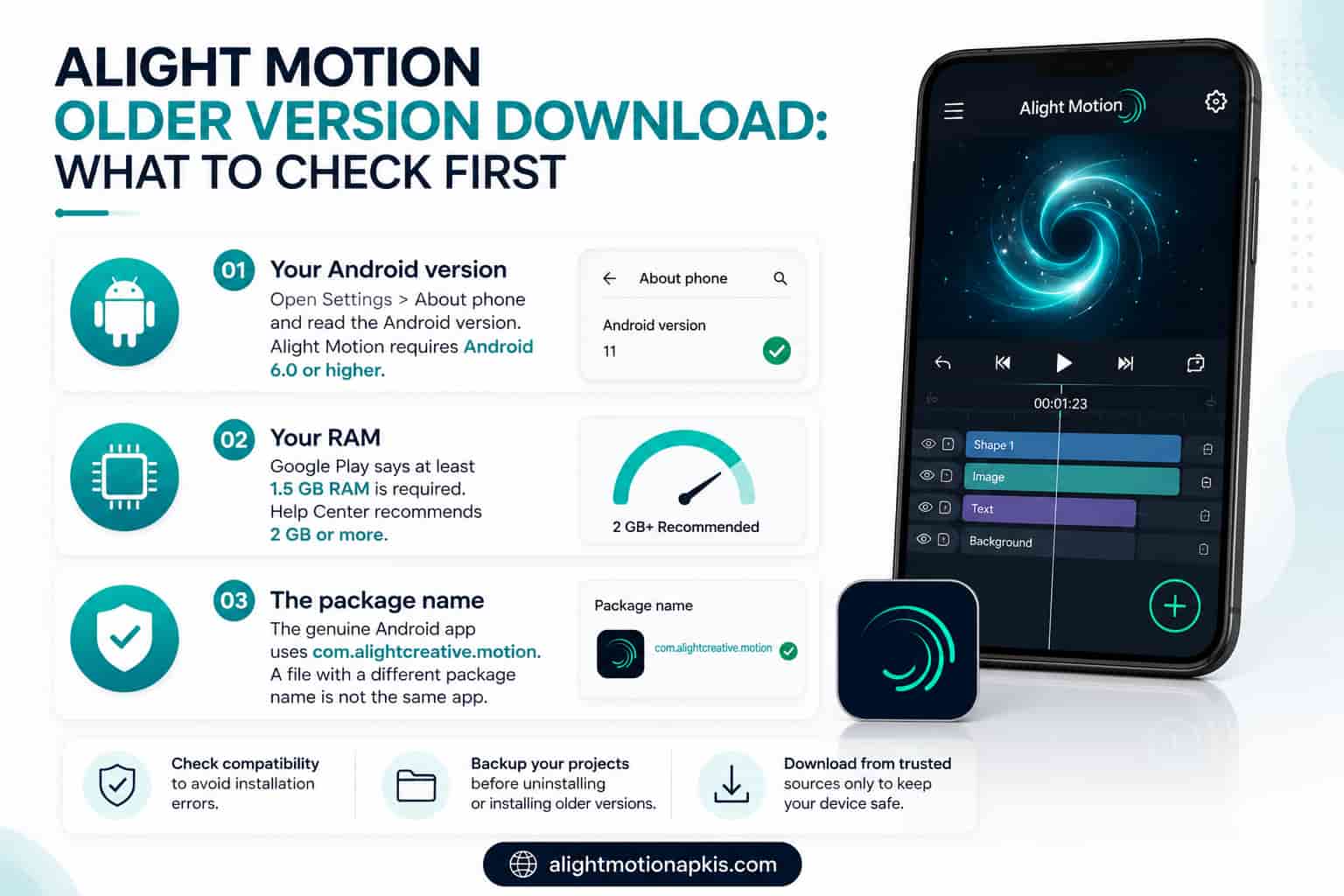
Before any Alight Motion older version download, confirm three things:
- Your Android version. Open Settings > About phone and read the Android version. Alight Motion’s Help Center lists Android 6.0 or higher as compatible and Android 5.x and lower as not compatible.
- Your RAM. The Google Play text says Alight Motion needs at least 1.5 GB of RAM. The Help Center recommends more than 2 GB.
- The package name. The genuine Android app uses com.alightcreative.motion. A file with a different package name is not the same app.
The current build and its requirements are on Alight Motion new version, and device details are in Alight Motion system requirements.
Alight Motion old version for low-end Android: does it help?
Not for the OS floor. Every build we checked from 3.3.5 to 4.4.x lists Android 6.0 as the minimum, the same as the current rule, so an older build will not install on Android 5.x. We found no official RAM figure for older builds either. If your phone is slow, an older build may or may not feel lighter, and it can lack bug fixes that the current build has. Try a short test project and keep your finished exports.
How to downgrade Alight Motion without losing your projects
Downgrading means removing the current app and installing an older one. Alight Motion’s Help Center says deleting or reinstalling the app permanently deletes all projects and elements, because they are not saved to your account. Follow these steps in order.
- Back up each project as a Project Package. Open the project, tap the Export icon at the top right, choose Project Package, then tap Export. When the upload finishes, you get a link and a QR code.
- Store the links and QR codes safely. The Help Center says it cannot recover them if you lose them.
- Export finished videos too, so each edit has a playable copy outside the app.
- Turn off auto-update for Alight Motion. Open its Google Play page, tap the three dots at the top right and uncheck Auto-update, so Play does not reinstall the current build.
- Uninstall the current app. Android generally refuses to install an older version over a newer one, so this step is needed.
- Install the older build you checked. Android asks for permission to install from the app you used to open the file.
- Import one project first. Tap the link or scan the QR code, tap Import, and the project appears in the Templates tab. The Help Center does not say whether a package from a newer version opens in an older one, so test one project before you rely on it.
Alight Motion old version APK: how to check a file before installing
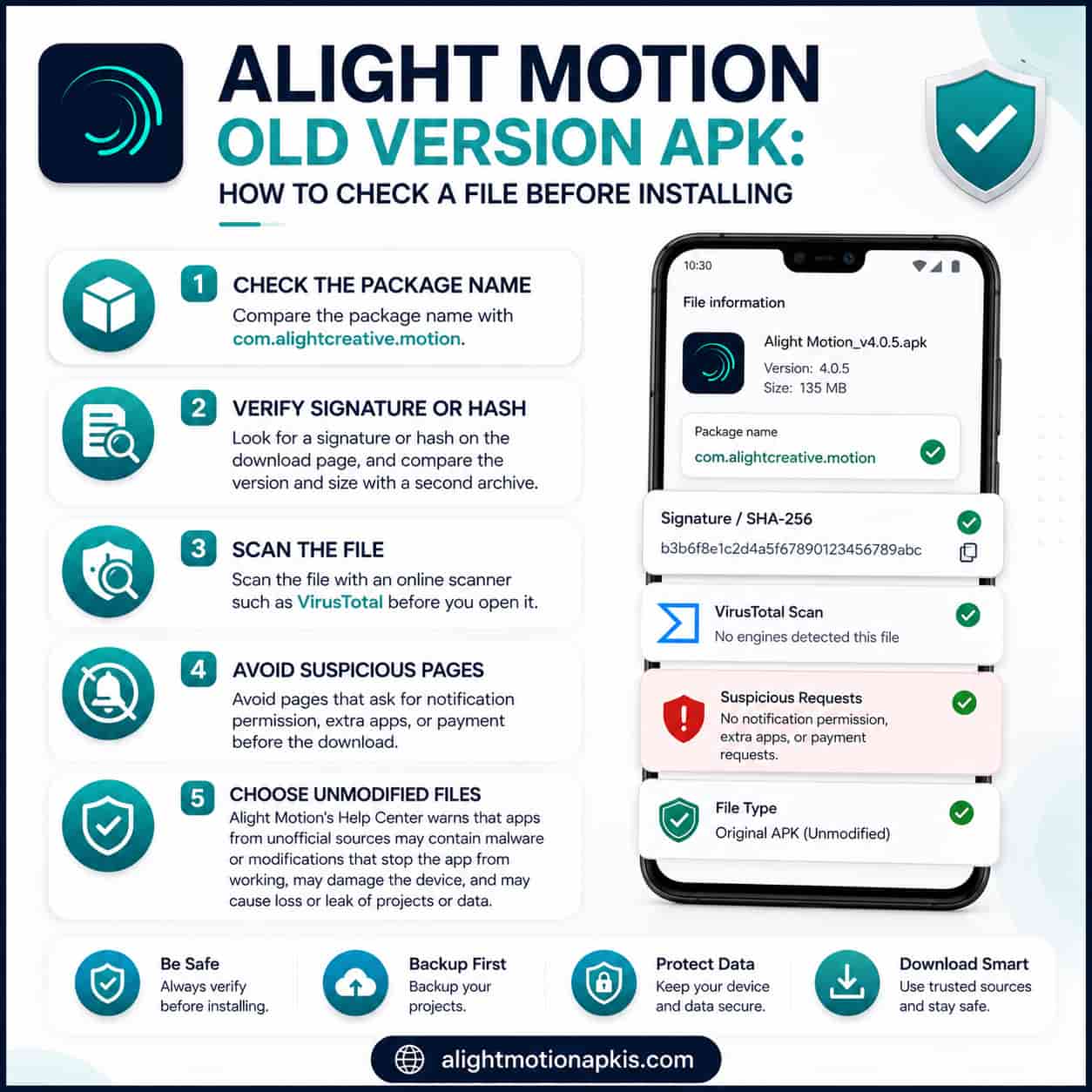
A search for an Alight Motion APK old version download returns many archives of very different quality. Use this checklist before you install anything:
- Compare the package name with com.alightcreative.motion.
- Look for a signature or hash on the download page, and compare the version and size with a second archive.
- Scan the file with an online scanner such as VirusTotal before you open it.
- Avoid pages that ask for notification permission, extra apps, or payment before the download.
- Choose unmodified files. Alight Motion’s Help Center warns that apps from unofficial sources may contain malware or modifications that stop the app from working, may damage the device, and may cause loss or leak of projects or data.
Alight Motion old version mod apk: risks, and why this page has no mod download
Many pages in the results offer modified old builds and claim that they include all paid features and are completely safe. Neither claim can be verified. A modified file may change behavior you cannot inspect, and it bypasses the paid plan that funds the app, so it is not a licensed way to get paid features. We give no mod downloads here. Our safety page covers the risks: is the Alight Motion mod safe.
Which version should you choose?
An update broke something:
note the date, check whether a newer update fixed it, and contact support at support-android@alightmotion.com, the address in the Google Play text, before you downgrade.
Your phone runs Android 5.x or lower:
no build we checked supports it.
You prefer the old layout:
back up first and expect to lose newer features.
Frequently asked questions
Where can I get an Alight Motion old version?
Google Play offers only the current build, so older builds come from third-party software archives. Alight Motion’s Help Center says it supports only versions installed from Google Play or the App Store. Check the file before installing, and back up your projects first, because removing the app deletes them.
Is an Alight Motion older version download safe?
It cannot be guaranteed. Alight Motion’s Help Center warns that apps from unofficial sources may contain malware or modifications, may damage the device, and may cause loss or leak of projects or data. Compare the package name com.alightcreative.motion, scan the file with an online scanner, and avoid sites that ask for extra permissions.
Will I lose my projects if I downgrade Alight Motion?
Yes, unless you back them up. Alight Motion’s Help Center says deleting or reinstalling the app permanently deletes all projects and elements, because they are stored only on your device. Export each project as a Project Package first, keep the link and QR code safe, and import it after installing the older build.
How far back do Alight Motion previous versions go?
The Softpedia archive lists builds back to version 2.8.0 from 22 January 2020, with 3.x builds through 2021, 4.x through early 2023, and 5.0.x builds from 2025 to 2026 on other archives. Dates differ slightly between sites, and archives are not official sources.
What is the oldest Android version Alight Motion supports?
Android 6.0. Alight Motion’s Help Center lists Android 6.0 or higher as compatible, with 7.0 or higher recommended, and Android 5.x and lower as not compatible. The older builds we checked on Softpedia, from 3.3.5 to 4.4.x, also list Android 6.0 as the minimum, so an older build does not add support for Android 5.
Does an older Alight Motion build run better on a low-end phone?
We found no evidence. The current Google Play text says Alight Motion needs at least 1.5 GB of RAM, and we found no official RAM figure for older builds. If the app lags, close other apps, free storage and test a short project first. An older build can also lack fixes that the current one has.
Can I install an older version over the new one?
Usually not. Android generally refuses to install an older version of an app over a newer one, so you have to uninstall first. That step deletes your Alight Motion projects, so export Project Packages and finished videos before you remove the app.
Can I get an Alight Motion old version on iPhone?
The App Store controls versions on iPhone, and its Alight Motion listing shows version 6.2.60 with an iOS 14.4 minimum. iOS and Android use different version numbers, with Android at 5.0.273 on archives. See our iPhone page for details instead of searching for Android files.
Is an Alight Motion old version mod APK safe?
It cannot be verified. A modified file may add or remove behavior you cannot inspect, and the Help Center warns that unofficial apps may contain malware or modifications. A modified build also bypasses the paid plan, so it is not a licensed way to get paid features. This page gives no mod downloads.
Why can’t I find an Alight Motion APK old version download on Google Play?
Google Play serves the current release to your device and does not list older builds for download. People use third-party archives for older files, which Alight Motion does not support. Before you try that route, read the project backup steps above, because the downgrade deletes projects.
Which Alight Motion build should I choose?
Choose the current build unless an update broke something for you. Your phone needs Android 6.0 or higher and at least 1.5 GB of RAM. If an update caused a bug, note the date and contact support at support-android@alightmotion.com, the address in the Google Play text, before you downgrade.
Not sure you need an older build?
Choose the current build unless an update broke something for you, and back up your projects before you remove the app.